Isabel Marant: Product Page
Slide left/right to compare original Isabel Marant product page to my concept product page
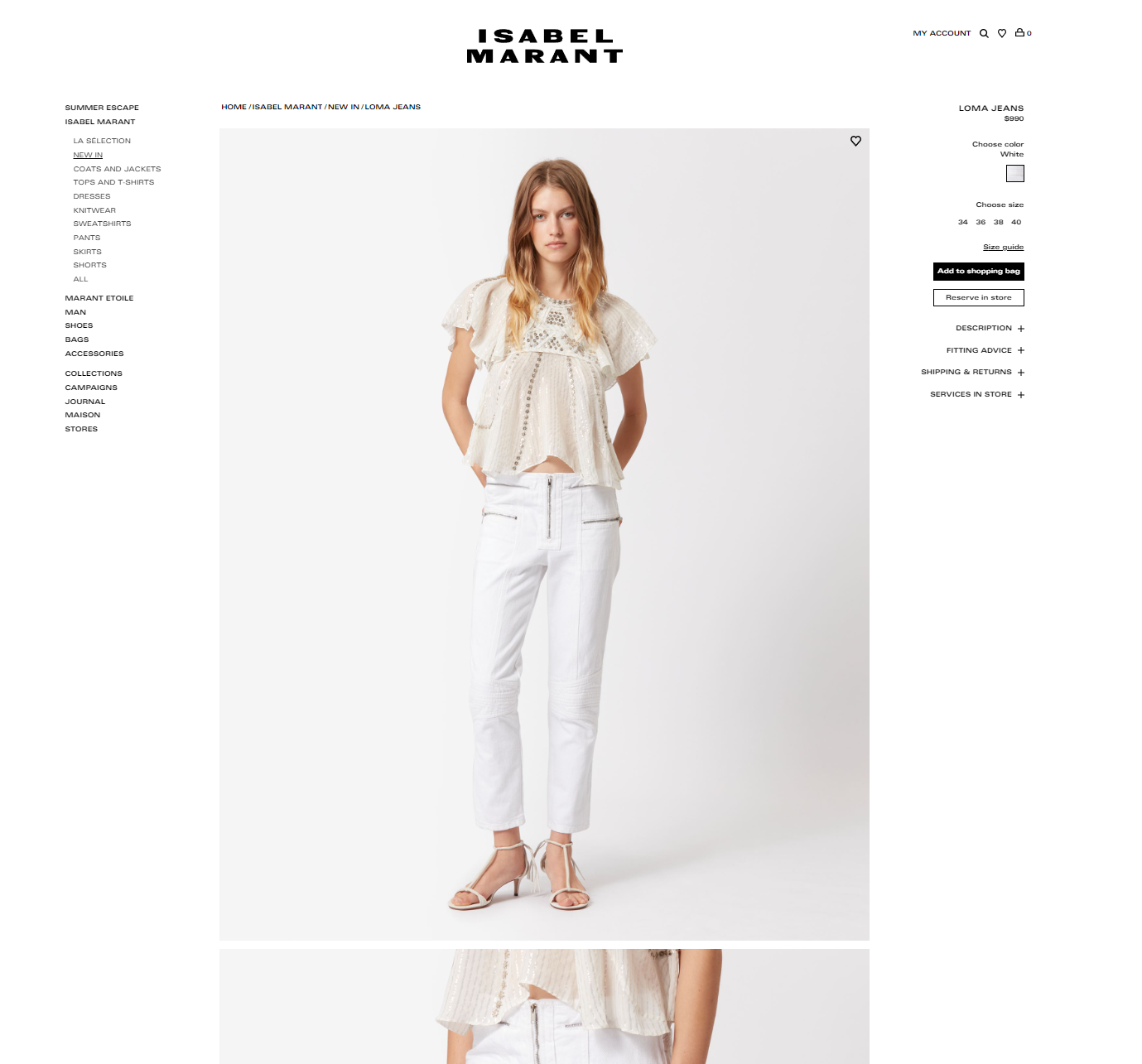

Left: Original Product Page ; Right: Concept Product Page
Product Page
Clicking on the product thumbnail brings users to the product page where they can view the full product description and images.
The image carousel shows users which image they are currently viewing because their current selection will have a thick black border.

Next is the size-options section. Users can select a size, and the current selection will display a thick black border- this is consistent throughout.
Within the size section, customers can view a “size guide” to determine which size would fit them best.
The “find your size” link allows users to compare Isabel Marant sizes to other brands and sizes they wear, which is a personalized way to find the right fit.
Product Page: Add to Bag
The “Add to Bag” button adds the product to the customer’s shopping bag. When selected, the button turns gray with red font, and the text changes to “Added to Bag” to let users/customers know that the product was added to their shopping bag.
Adding a product to their bag will also pull out the shopping bag sidebar. The shopping bag sidebar gives users a quick-view of their shopping bag where they can edit their bag, view the shopping bag page, or proceed to checkout with their current bag.
After the shopping bag overlay is closed, the shopping bag icon (top-right corner) will also show how many items are currently in the customer’s bag.
Product Page: Description Accordion
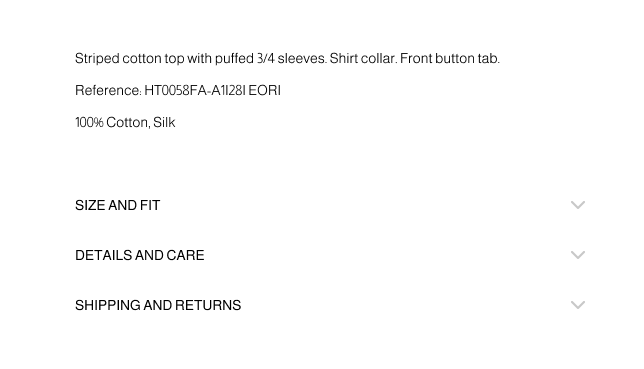
Below the “add to cart” button, is the product description and accordion. The accordion expands, when selected, and gives customers more product details relative to their accordion selection.
Product Page: Add-Ons
Finally, the bottom three sections are item recommendations based on the customer’s interactions.

“Complete the look” recommends items shown on the model so that customers can purchase the same outfit the model is wearing. “You may also like” recommends items that are similar to the currently-viewed product; the items may similar in color, style, or based on what other customers purchased along with the current selection. “Recently viewed” reminds customers what they were previously looking at or considering purchasing.
These final three sections allows customers to add on to their shopping bag and purchase more, which leads to more sales.
 Tinsley Designs